


AVG Cleaner – Storage Cleaner
4.663.95K Reviews
App Specs
- Version
- 26.12.2
- Updated On
- License
- Free
- Downloads
- 100,000,000+
- Developer
- AVG Mobile
- Categories
- Productivity
- Platform
- Android, iOS
Screenshots
 Analysis by AppCompare
When storage warnings arrive at the worst moment, the instinct is often to delete a few photos and hope for the best. I prefer a more deliberate approach: first work out what is taking up space, then decide what is safe to remove. AVG Cleaner – Storage Cleaner is built for that everyday housekeeping job on Android, and its most useful role is helping me notice clutter before it turns into a constant interruption.
How quickly should you expect a difference?
A cleaner can make a phone feel less burdened when its storage is crowded, but it cannot make every device fast or reverse the effects of aging hardware. I treat AVG Cleaner as a way to reclaim room and make storage easier to manage, not as a guaranteed speed boost. If a phone is slow because a particular app is misbehaving, its processor is struggling, or its operating system needs attention, removing leftover files may not change that.
That distinction matters because a scan can finish quickly while a noticeable improvement takes longer—or never appears at all. The practical result I look for is fewer storage interruptions and enough free room to take a photo, download an update, or save a file. If those are the problems you have, cleaning may help. If you expect an instant transformation in responsiveness, I would keep expectations modest.
What happens when storage is under pressure?
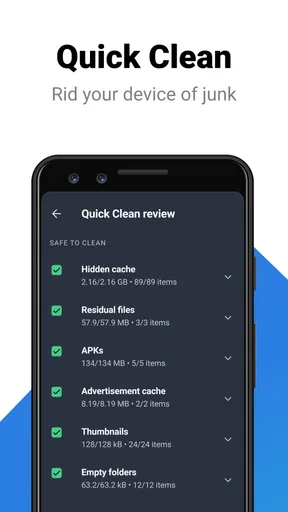
The app is most useful when the phone is approaching its storage limit and you need a clear place to start. Rather than deleting items at random, I would open the cleaner, review what it identifies, and consider each suggested cleanup with the files I actually care about in mind. A little caution is worthwhile: “unnecessary” is a useful starting point, not a substitute for checking what you are choosing to remove.
For example, imagine returning from a weekend away with a full camera roll and a phone that will not comfortably save another video. I would first review large or disposable items and make sure important photos are backed up somewhere I can access them. Then I would use a cleaning scan to look for clutter that is less personal. That order reduces the chance of deleting a memory just to gain space in a hurry.
One useful habit is to make cleaning a response to a real need rather than a ritual you repeat every day. Check storage when you start receiving warnings or before a large download, and avoid removing things simply because a cleaner labels them as expendable. That keeps the app in the role of a helpful guide instead of turning maintenance into another task.
Reliability means reviewing the result
For me, dependable cleanup is less about tapping a button blindly and more about understanding the choices on screen. AVG Cleaner is designed to make tidying accessible, which is handy when you do not want to inspect folders one by one. Still, I would take a moment to read the proposed categories before confirming a cleanup, particularly if I have recently downloaded documents or saved media for offline use.
Worth Reading Before You Choose

Flipboard Shows What News Apps Must Do Beyond the Feed

Switching to Android Auto Means Rethinking Your Driving Routine

Google Calendar Makes a Crowded Week Easier to Manage

Ludo King Makes the Most of the Minutes Between Plans

Baby Panda World Brings Quick Play to Modern Phones, but Its Game Library Feels Busy

ESPN’s Live Game View Makes Following Close Games Easier
It is also sensible to keep an eye on whether the same storage problem returns. If a phone fills up again soon, a one-off cleanup has not addressed the underlying habit or source. Large videos, repeated downloads, and apps that keep accumulating content may need attention directly. In that situation, the cleaner can help point you toward a broader storage review, but it cannot make the ongoing source of new files disappear by itself.
AVG Cleaner is a productivity app from AVG Mobile. It is free to install, with optional in-app purchases, and is intended for everyone. The app has a 4.6 average from around 1.9 million ratings and has been installed over 50 million times. Those figures suggest that many people use it, but I would still judge it by whether its cleanup suggestions fit my own habits and comfort level.
Device limits and the alternatives worth considering
The app is made for Android, with Android 10 as its minimum operating-system requirement. If your phone runs an older version, this is not the right option for it. On a supported device, I would still consider how much free space is available before installing any utility: if storage is critically tight, first remove or move a few files manually so there is room to work comfortably.
Compared with built-in storage controls, a dedicated cleaner can make housekeeping feel more guided and easier to revisit. The built-in tools may be enough if you only need to see which apps and files occupy the most space, and they avoid adding another app to manage. I would choose AVG Cleaner when I want a more approachable cleaning routine; I would stick with the phone’s own controls if I prefer to make every decision manually or only clean occasionally.
There is a trade-off in using any automated helper: convenience can save time, but it can also encourage you to accept recommendations without thinking. I would not use a cleaner as a replacement for backing up personal files, nor assume that a “clean” phone is necessarily a faster one. If you have a specific app causing slowdowns, updating it, adjusting its settings, or removing it may be a more direct fix than a general cleanup.
Who will get the most from it?
I can see this being useful for someone who takes plenty of photos, downloads files on the go, or does not want to navigate storage menus every time space runs low. It may also suit a person who wants a regular prompt to review phone clutter without learning the layout of every folder. The key is to treat the app’s suggestions as a shortlist for your attention, not as permission to erase anything without checking.
It is less compelling if your phone has lots of free storage and you rarely download or keep large files. It may also be the wrong choice if you are looking for a performance-monitoring tool that can diagnose every cause of lag, or if you would rather keep maintenance entirely within Android’s built-in settings. A cleaner is most valuable when it solves a recurring inconvenience; otherwise, it can become one more app competing for space and attention.
What Does AVG Cleaner Do?
So, what's the deal with AVG Cleaner? It’s basically your phone’s personal organizer. Think of it as that friend who loves cleaning and organizing your stuff. It tidies up your device by clearing out junk files, optimizing storage, and even extending your battery life. And the best part? It does all this while being super easy to use.
Installation and First Impressions
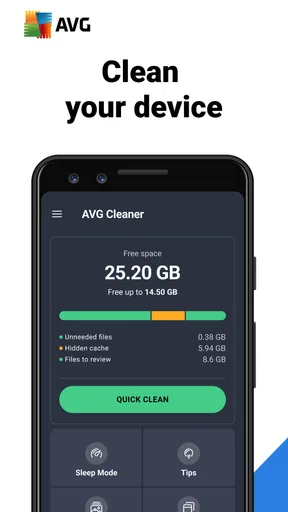
Downloading and installing the app was a breeze. A few taps on the Google Play Store, and I was ready to roll. The user interface is clean and straightforward, which I appreciate. No one likes getting lost in a sea of buttons and icons, right? As soon as I opened the app, it greeted me with a dashboard that showed me my device’s current storage and battery status. It’s like having a personal assistant who knows all your phone’s secrets.
Features That Stand Out
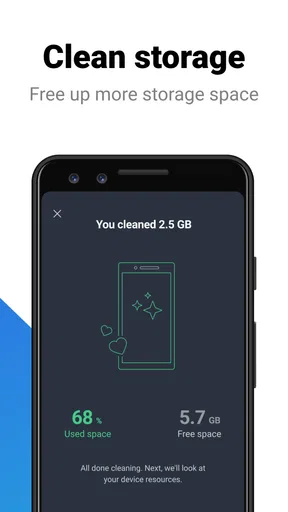
One of the features that really caught my attention is the one-tap cleaning. With just a single tap, AVG Cleaner scans your device for unnecessary files and clears them out. I love this because, let’s be honest, who has time to sift through files manually? It’s quick, efficient, and incredibly satisfying to watch the storage space freeing up.
The app also offers a Battery Saver feature. It identifies the apps that are draining your battery and helps you manage them. After using this feature, my phone’s battery life noticeably improved. It’s like giving your phone a double espresso shot.
Delving Deeper with App Insights
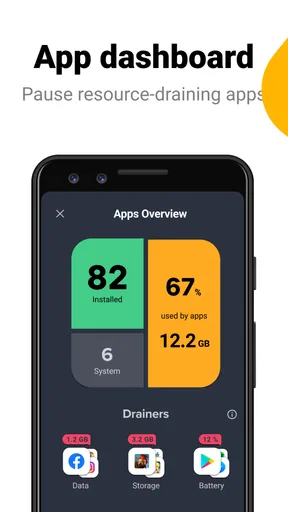
AVG Cleaner doesn’t just stop at cleaning. It provides App Insights, which tells you how much time you’re spending on each app. This feature is a double-edged sword. On one hand, it’s eye-opening to see where your time goes. On the other hand, it might make you question your life choices. But hey, knowledge is power!
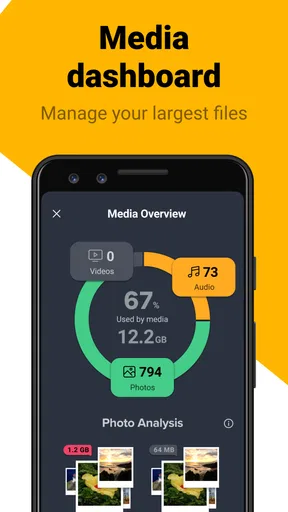
The insights are neatly presented and easy to understand. You can see which apps are the biggest storage hogs and decide which ones need a little vacation from your device.
Overall Performance and User Experience
Performance-wise, AVG Cleaner runs smoothly without causing any hiccups. It’s light on resources, which is a huge plus. The last thing you want is an app that’s supposed to speed up your phone, but ends up slowing it down. None of that nonsense here.
Using the app regularly, I’ve noticed my phone is more responsive, and I’m not constantly getting those annoying “storage is full” alerts. It’s a relief to have an app that just works without making a fuss.
Final Thoughts
In a world where our phones are our lifelines, keeping them in tip-top shape is a must. AVG Cleaner – Storage Cleaner is like having a digital janitor who’s always on call. It’s user-friendly, effective, and doesn’t bombard you with unnecessary features. If you’re looking for a way to declutter your phone and boost its performance, this app is definitely worth a try.
So, if your phone is feeling a bit like a hoarder’s paradise, give AVG Cleaner a whirl. It might just be the breath of fresh air your device needs.
Pros
- Boosts device performance effectively.
- Simple and user-friendly interface.
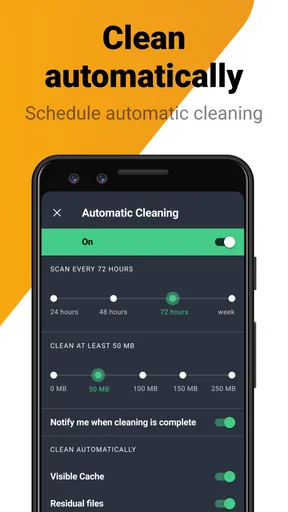
- Customizable cleaning options.
- Improves battery life significantly.
- Regular updates for new features.
Cons
- Occasional in-app advertisements.
- Some features require premium upgrade.
- Can be resource-intensive at times.
- Limited support for older devices.
- May not detect all junk files.
FAQs for AVG Cleaner – Storage Cleaner
What features does AVG Cleaner offer for optimizing my device?
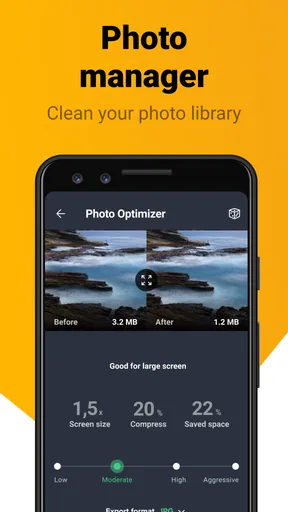
AVG Cleaner provides a comprehensive suite of features designed to optimize your device's performance. It includes a storage cleaner to remove junk files, a battery booster to enhance battery life, and an app manager to help you identify and remove resource-draining apps. It also offers a photo analyzer to clean up similar or poor-quality images.
How does AVG Cleaner improve battery life on my device?
AVG Cleaner helps extend your device's battery life by identifying and closing background apps that consume power. It also offers tips on how to optimize your device settings for better battery performance, ensuring you get the most out of each charge while maintaining your device’s efficiency.
Is AVG Cleaner safe to use on my device?
Yes, AVG Cleaner is safe to use. It is developed by AVG Technologies, a reputable company known for its security products. The app is designed to clean and optimize your device without compromising your personal data or security. Always download the app from official sources like Google Play Store or Apple App Store.
Does AVG Cleaner support both Android and iOS devices?
Yes, AVG Cleaner is available for both Android and iOS devices. However, the features may vary slightly between platforms due to differences in operating system capabilities. Be sure to check the app description for each platform to understand the specific features available for your device.
Will AVG Cleaner delete any important files from my device?
AVG Cleaner is designed to safely remove junk files and optimize your device without deleting important files. It provides a detailed overview of items before cleaning, allowing you to review and select what to remove. Always double-check the list of files to ensure that no critical data is mistakenly deleted.


